
Upload your document and add recipients. Our built-in address validation flags potential errors, saving you from costly re-mailings and delays.
Dragged. Dropped. Delivered.
Certified and Priority Mail.
Pay-Per-Send. No Subscription.
Create Your Free Account

All Essential USPS Services
Send same-day Priority and Express Mail, Certified Mail and First-Class mail with online tracking from your desk. No more post office trips, ever.

Ironclad Security & HIPAA Compliance
Protect sensitive client data and Protected Health Information with bank-grade encryption and a fully HIPAA-compliant workflow at no extra cost.

Court-Admissible Digital Proof
Get Docsmit’s digital Certification of Mailing that includes a copy of the sent document, plus USPS delivery confirmation.

WHAT SETS US APART?
Dragged. Dropped. Delivered.

Create Instant Certified Mailing
Send USPS Certified Mail online in minutes. No forms, no lines, and no subscription required.

Get Irrefutable Proof of Mailing
Your digital Certification of Mailing includes a copy of the sent document, creating an unchallengeable record for legal proceedings.

Cut Overhead Costs
Our pay-as-you-go pricing eliminates software overhead and the hidden costs of manual processing, like supplies and staff time.

Send from Anywhere
Send and track mail from the office, home, or courthouse — no physical access required.

Drag & Drop Simplicity
Upload a PDF, enter addresses, select your mailing option, and send.

Built for Bankruptcy & Legal Notices
As a court-approved bankruptcy notice provider, Docsmit ensures your most critical mailings meet strict legal standards and compliance.
Ready to Simplify Your Legal Mail?
Create a free account and see why law firms are switching to our simple, pay-as-you-go Certified Mail platform.
Get Your Free AccountWHAT IS POSSIBLE WITH DOSCMIT?
Seamless Mailing for Professionals, with Secure Tracking Every Step of the Way.
Step 1
First, Give Us the Document and the Recipients
Email notice
You'll get an email confirming we've received your mail shortly after you send.

Step 2
First, Give Us the Document and the Recipients
Docsmit prints, assembles, and prepares your mail for USPS. Your letter enters the mailstream without you visiting the post office or handling paperwork.
Email notice
You'll get an email confirming we've received your mail shortly after you send.
Step 3
First, Give Us the Document and the Recipients
Monitor every step with real-time USPS tracking. Receive email alerts and access a complete digital audit trail, including delivery confirmation.
Email notice
You'll get an email confirming we've received your mail shortly after you send.
Step 4
First, Give Us the Document and the Recipients
Your complete mailing history, including proof of mailing and delivery records, is securely archived and searchable. Download court-admissible evidence anytime.
Email notice
You'll get an email confirming we've received your mail shortly after you send.
Testimonials
FAQ
Have Questions?
We Have Answers

How do I get started?
Create a free account, upload your document, choose your mailing options, and send.
Read More
When is your cut-off time? Do you offer Same Day Mailing?
Our standard cut-off time is 8 PM EST for next business day mailing. Same-day mailing is available for select services.
Read More
Do you mail to Canada or internationally?
Yes. Docsmit supports mailing to Canada and most other countries worldwide.
Read More
Do you offer Certified, First Class, and Priority Mail?
Yes. Docsmit supports Certified Mail, First Class Mail, Priority Mail and Priority Mail Express.
Read More
Is there a subscription fee?
No. Docsmit is pay-as-you-go. You only pay for what you send.
Read More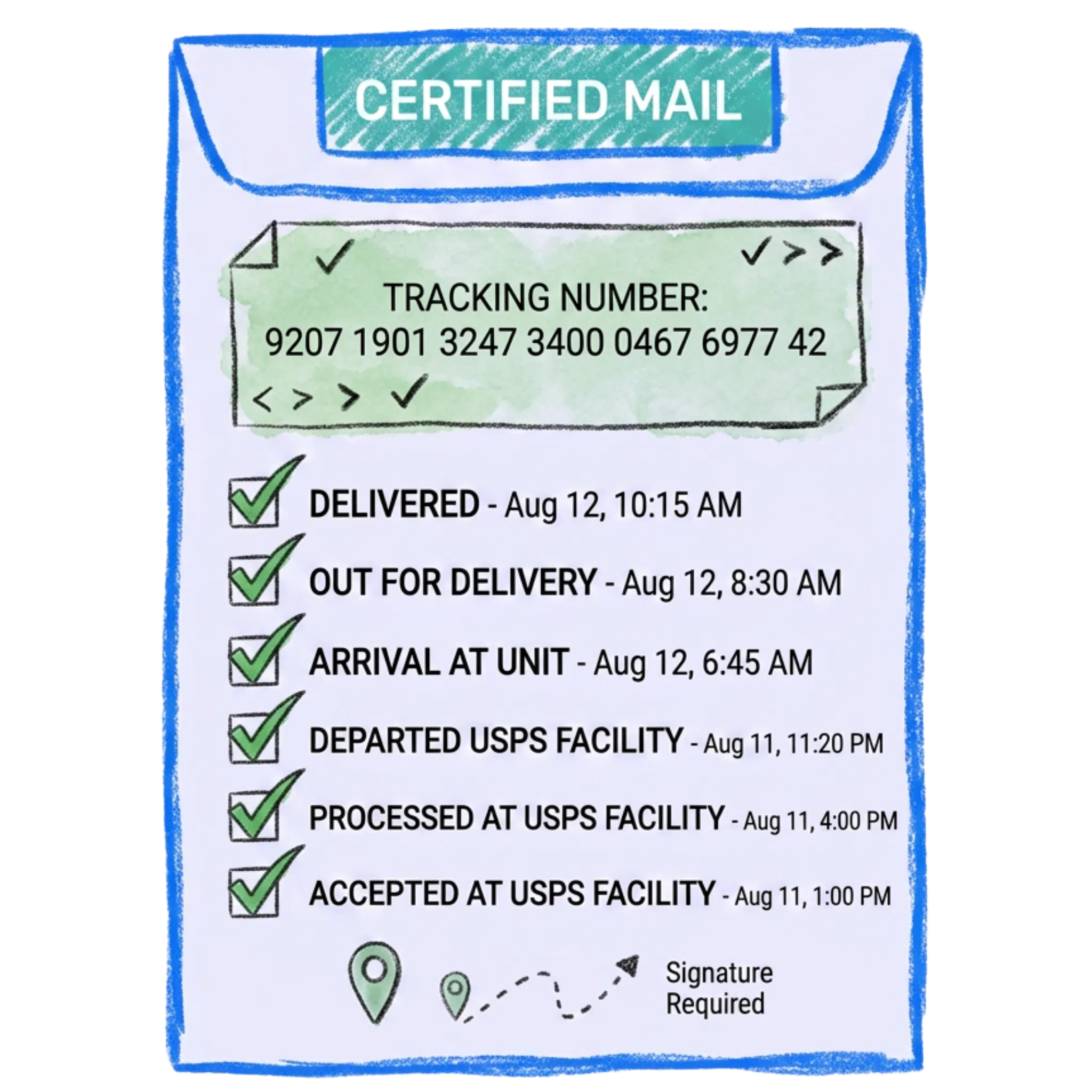
Do you provide tracking?
Yes. All mailings include tracking so you can monitor delivery status.
Read More
Can I cancel a mailing after submitting it?
You can cancel a mailing before production begins.
Read More Do you provide proof of mailing?
Yes. We provide a digital Certification of Mailing that includes a copy of the document you sent, plus USPS tracking and delivery confirmation. This creates a comprehensive, court-admissible record.
Read More How is Docsmit different from other online mailing services?
Docsmit focuses on simplicity and transparent pricing. You get all the essential features—like court-admissible proof of mailing and HIPAA compliance—without the high overhead. It's the ideal solution for legal professionals who value efficiency and budget control.
Read More 
Can’t find the answer you’re looking for?