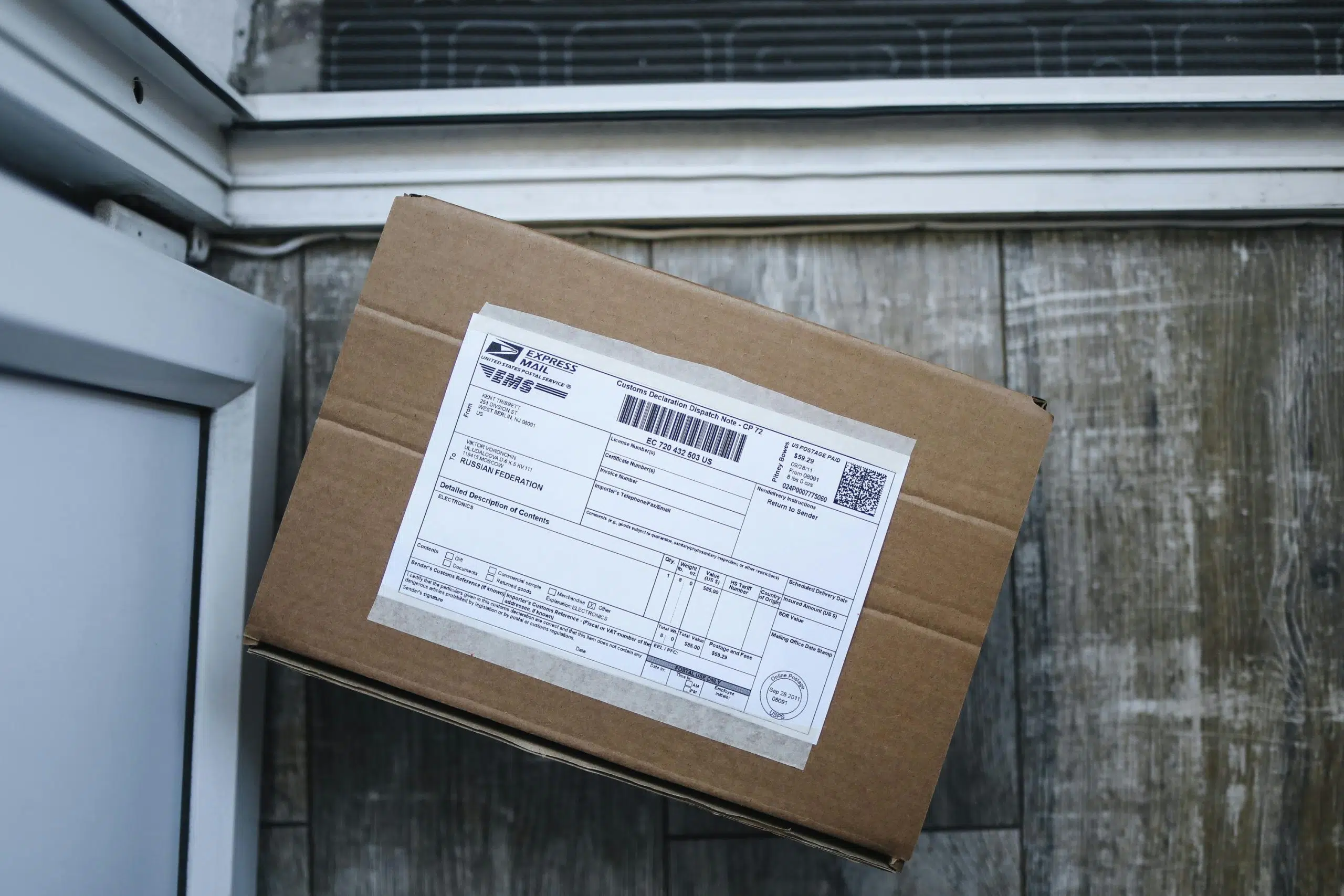
PS Form 3800. PS Form 3811. Tracking labels that need to be peeled and stuck in exactly the right place. Tiny boxes to fill out in triplicate.
If you’ve ever sent Certified Mail the traditional way, you know the form maze. One wrong number, one smudged address, and you’re starting over. This guide explains what these forms actually do—and shows you how to bypass them entirely while maintaining full legal validity.
What is PS Form 3800?
PS Form 3800 is the official hardcopy form provided by the United States Postal Service for sending Certified Mail. This form serves as your physical receipt and provides a unique tracking number, creating a verifiable record that you sent a specific piece of mail on a certain date.
The Green Card Companion
For proof of delivery, PS Form 3800 is typically paired with PS Form 3811, commonly known as the “green card” return receipt. This green card is:
- Attached to your mailpiece
- Signed by the recipient upon delivery
- Mailed back to you as physical evidence of receipt
This method is primarily used in legal, business, and government contexts where a verifiable chain of custody is required.
The Step-by-Step Guide to Using PS Form 3800
The traditional method is a manual, multi-step process demanding a post office visit and meticulous attention to detail.
The 7-Step Process
- Gather Your Materials: Collect PS Form 3800 and PS Form 3811 from a postal clerk
- Complete the Main Form: Fill out all sections by hand, including sender and recipient addresses
- Fill Out the Green Card: Complete both sides of PS Form 3811 with the recipient’s address
- Apply the Tracking Label: Peel the tracking number label from Form 3800 and attach it to the designated box on the green card
- Affix the Forms: Attach PS Form 3800 to the front of your envelope, folding the green strip over the top. Attach the green card to the back
- Pay at the Counter: Take your assembled mailpiece to the clerk to pay for postage and fees. Keep your stamped receipt portion
- Wait for the Return Receipt: After delivery, wait for the signed green card to be mailed back, then file and store it securely
Common Challenges with Paper Forms
The paper-based system introduces significant challenges:
Time Consumption
The process consumes valuable staff time from form completion to the post office trip. For small law firms without dedicated mailroom staff, this represents what one attorney described as “the manpower loss.”
Risk of Error or Loss
- Handwriting leads to mistakes
- Physical green card can easily be lost in the mail, destroying your only proof of delivery
- Lost green card = lost legal proof
Storage and Organization Headaches
Storing and organizing paper receipts becomes a logistical nightmare, making it difficult to retrieve specific documents during audits or discovery.
The Modern Alternative: Sending Certified Mail Without the Form
What if you could achieve the same legal verifiability without ever handling a paper form? Modern mailing services have digitized the entire process, replacing manual labor with streamlined automation.
Go Paperless in Minutes
Instead of filling out forms:
- Drag and drop your document as a PDF
- Enter your recipient’s address
- Select Certified Mail
- Click send
Total time: About three minutes without leaving your desk.
No printing, assembling, or post office trip required.
Digital Proof That’s Court-Ready
The fragile green card is replaced by the USPS Electronic Return Receipt. Upon delivery:
- Recipient’s signature is captured digitally
- Converted into an official Proof of Delivery PDF
- Legally recognized as equivalent to the traditional green card by most courts
Enhanced protection: Standard Certified Mail only proves that something was delivered—not what was inside. Docsmit’s Certification of Mailing preserves a copy of the exact document you sent alongside the complete USPS tracking timeline. This proves precisely what was mailed—evidence designed to be handed directly to a judge.
Centralized Tracking and Organized Records
A digital dashboard gives you a centralized view of all your mailings:
- Every receipt stored in a searchable, cloud-based system
- Tracking updates in real-time
- Electronic proof of delivery instantly accessible
- For firms with remote or outsourced staff, anyone on the team can send mail and access records without coordinating physical handoffs
When to Use PS Form 3800 vs. a Digital Service
Stick with Paper PS Form 3800 and PS Form 3811 When…
A court, government agency, or specific regulation explicitly mandates an “original wet-signature” on the documents being mailed or the PS Form 3811 return reciept. Always verify submission rules beforehand.
Choose a Digital Service for…
Virtually all other business and legal correspondence, including:
- Contract execution
- Compliance notices
- Billing communications
- Legal notices (where electronic proof is accepted)
The USPS-approved Electronic Return Receipt is legally recognized as equivalent for most purposes and provides superior speed, security, and organization.
Eliminate the Forms, Keep the Proof
PS Form 3800 isn’t going away—but you don’t have to use it. The USPS recognizes digital alternatives as legally equivalent, which means you can skip the forms, skip the post office, and still get court-admissible proof.
Docsmit handles everything PS Form 3800 does—tracking, proof of mailing, delivery confirmation—without requiring you to touch a single piece of paper. Send legally recognized USPS Certified Mail in seconds, with automated tracking and superior proof that links your documents to their delivery.
Visit Docsmit today to skip the forms and streamline your workflow.